


15 Easy 3D Printing Ideas for Kids to Make This Weekend
My daughter printed a whistle on her third session. Not because I told her to. She found it in the model library herself, tapped print, and spent the next half hour testing it in the kitchen at full volume.
That is the sign of a good 3D printing project. Not something a parent would frame. Something a child actually uses, carries around, and tells their friends about.
This guide covers 15 creative projects organized by age group — from elementary school through college. Each one teaches a real skill, finishes in a single session, and ends with something worth keeping. Whether it is a first geometry set or a college-level prosthetic prototype, there is something here worth starting this weekend.
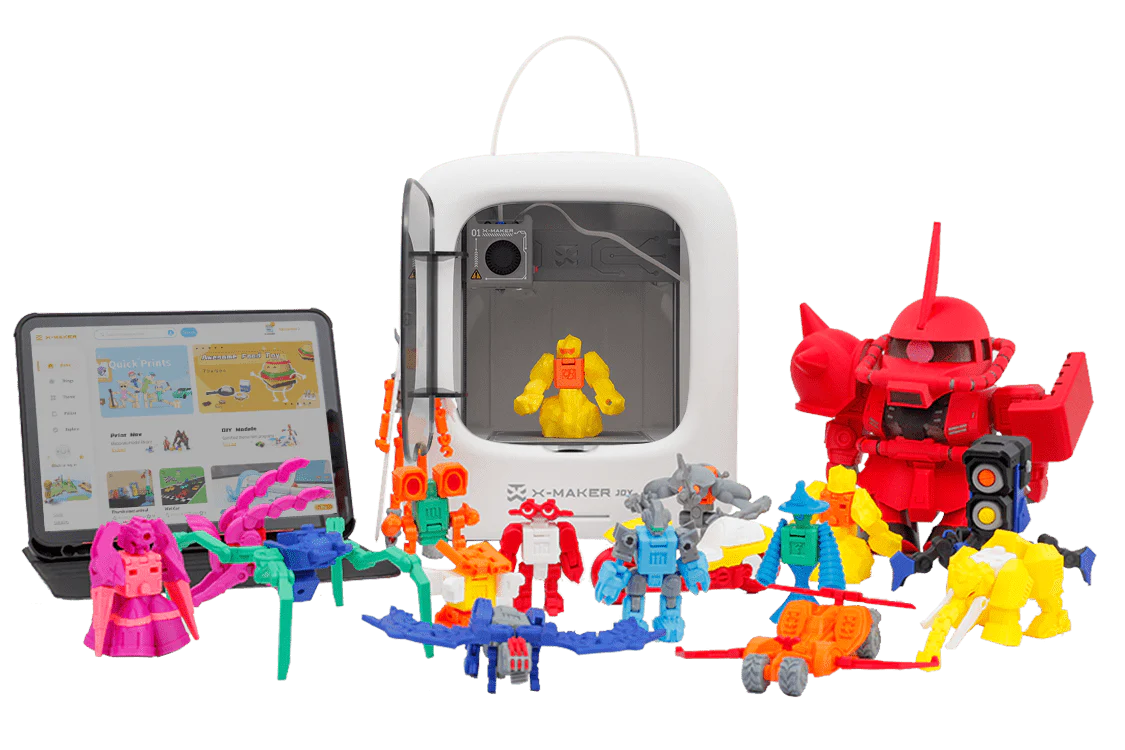
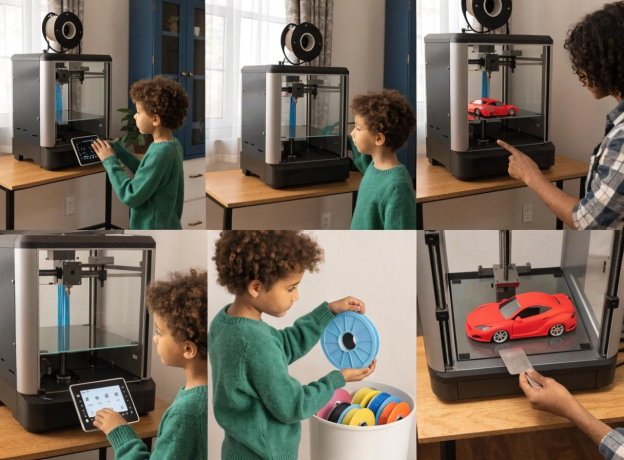
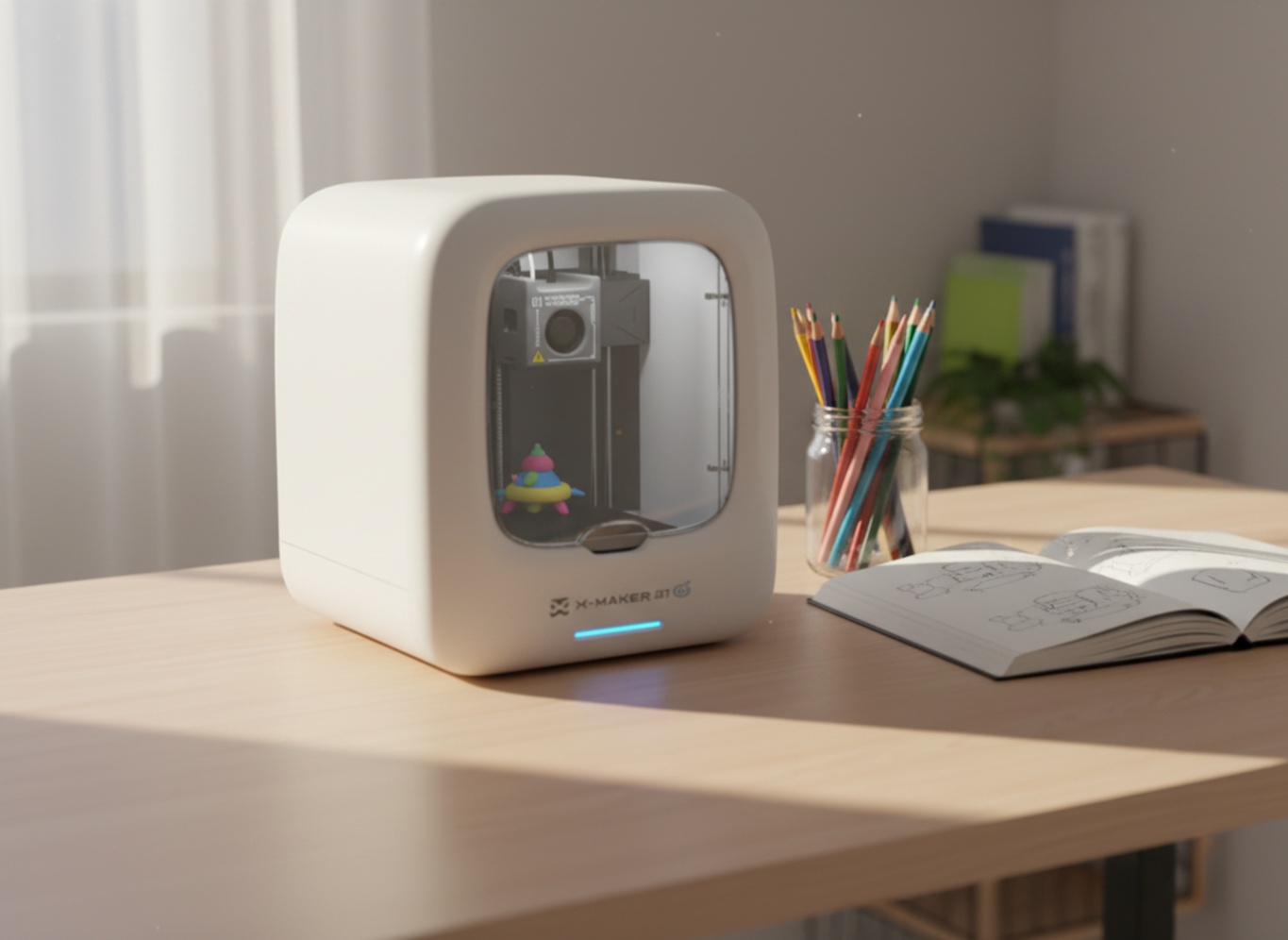
Families with younger children can start exploring ideas through the AOSEED X-MAKER JOY — a guided printer built for ages 4 to 12, where kids browse, customize, and print mostly on their own through the app.
Why 3D Printing Matters in STEM Education
Most STEM learning lives on paper. You read about gears. You draw a helix. You watch a video of the solar system.
3D printing changes that. When a student holds a printed gear and turns it, they understand mechanical transmission. When they pull apart an Earth puzzle, they understand planetary layers in a way no diagram can match. The physical moment — touching the concept — is what makes it stick.
The American Society for Engineering Education has documented that hands-on fabrication tools improve student retention of engineering concepts compared to demonstration-only methods. The STEM Education Coalition also notes that applied project-based learning is one of the most effective ways to keep students engaged with STEM subjects long term.
The learning in this guide is built into the making. The project is the lesson.
Resin vs Filament: Which Setup Works for Students
Most classroom and home printing uses filament-based printers. That is the right choice for every project in this guide. Resin printing is finer but comes with chemical handling requirements that make it unsuitable below college level.
|
Feature |
Filament (FDM) |
Resin (SLA / MSLA) |
|
Materials |
PLA, PETG, ABS — easy to handle |
UV-curable resin — PPE required |
|
Detail level |
Good for all 15 projects here |
Excellent for fine-detail models |
|
Safety |
Safe for ages 6+ with enclosed printer |
Not recommended under age 16 |
|
Cost |
Low — filament is inexpensive |
Higher material and equipment cost |
|
Classroom use |
Standard in K–12 settings |
College / specialist labs only |
|
Cleanup |
Peel print and go |
Chemical wash and cure station required |
|
This guide |
All 15 projects use FDM |
College fine-detail models only |
Elementary School Projects — Ages 6 to 11

Young children learn by touching and moving things. These three projects connect 3D printing directly to foundational concepts — shapes, geography, and fractions. No design experience needed. The child selects, customizes, and prints.
The AOSEED Toy Library is a reliable first stop for this age range. Every model there prints cleanly on the first attempt, which matters most with young children. Animals, vehicles, shapes, and seasonal builds — all free for AOSEED printer owners.
01. Geometric Solids Collection

A cube, a sphere, a cone, a pyramid, a cylinder, a rectangular prism. Print one of each in different colors and you have a geometry toolkit no worksheet can replicate. Children hold the shapes, count the faces, run their fingers along the edges.
The real learning happens when they start noticing matching shapes around the house. The sphere is the orange on the counter. The rectangular prism is the cereal box. That connection — printed object to everyday object — happens naturally, without prompting. Print times are short enough to run the full set in one afternoon.
|
Ages |
Print Time |
Skill Learned |
|
6+ |
15–30 min per shape |
Geometry, shape recognition, spatial thinking |
02. Interlocking Earth Puzzle

A two-part or four-part Earth model that separates to show the crust, mantle, and core. Children pull the layers apart and push them back together. The first question they ask — almost always — is why the inside is hot. That question does not come from a diagram. It comes from holding the model and wondering.
Print each layer in a different color: brown for the crust, orange for the mantle, red for the core. Free files are on Printables and Thingiverse. Let the child reassemble it several times before explaining what each layer does — the curiosity builds on its own.
|
Ages |
Print Time |
Skill Learned |
|
7+ |
45–90 min total |
Earth science, geography, layered thinking |
03. Fraction Learning Blocks

Circle or bar shapes divided into halves, thirds, quarters, and eighths. Stack them. Rearrange them. Show that two quarters make a half. Most children have been told this in class. Fewer have held it.
The blocks let a child test equivalence themselves, get it wrong, and fix it — which is how the concept actually lands. Print each fraction type in a different color so the visual grouping is immediate. This is one of the most-used classroom 3D printing applications because it turns an abstract rule into something you can touch and test.
|
Ages |
Print Time |
Skill Learned |
|
6+ |
20–40 min per set |
Fractions, math reasoning, hands-on learning |
Middle School Projects — Ages 12 to 14
Middle schoolers are ready for projects that connect printing to real subjects — biology, engineering, earth science. These three builds work as standalone weekend projects or as visual aids for class. Each one produces something worth explaining to another person.
For students aged 12 and up moving into complex multi-part builds, the AOSEED X-MAKER handles creation kit assemblies that produce working mechanical toys — a step up from library models into real STEM engineering.
04. DNA Double Helix Model

A scaled double helix showing the sugar-phosphate backbone and the four base pairs. Students who have touched this model do not forget what it looks like. They trace the spiral with a finger and immediately understand why the helical shape matters for replication. The twist is not decorative — it is functional.
Print the two strands in contrasting colors. Print the base pairs in four more colors to reinforce pairing rules. Free files from the NIH 3D Print Exchange are medically reviewed and accurate enough for academic use. Students who bring these to biology class presentations stand out.
|
Ages |
Print Time |
Skill Learned |
|
12+ |
60–90 min |
Molecular biology, genetics, spatial visualization |
05. Working Mechanical Gears

Two or more interlocking gears that mesh and turn when one is spun. Students print different gear sizes and test how rotation speed changes depending on which gear drives which. Print a small gear and a large gear the same afternoon. Ask which will spin faster when the small one drives the large one — the answer surprises most students.
This is the gateway project for engineering thinking. A student who understands gear ratios from printing one understands the principle behind every engine, clock, and transmission they will ever encounter. The printed version teaches better than any diagram because the student turns it with their own hands.
|
Ages |
Print Time |
Skill Learned |
|
11+ |
45–60 min for a gear pair |
Mechanical engineering, gear ratios, cause and effect |
06. Topographic Map Model


A 3D relief map of a chosen region where elevation is physical, not a set of flat contour lines. Students feel the difference between a ridge and a valley. They trace where rivers would form, why roads would be difficult in certain areas, and why cities built where they did. Real topographic data converts to printable files using free tools — TouchTerrain and terrain2STL are both straightforward.
Choose a region the student has visited or wants to visit. A mountain range they hiked, a coastline from a family trip. The familiarity makes the elevation data meaningful rather than abstract. This also works as a geography class presentation prop that is noticeably better than anything printed on paper.
|
Ages |
Print Time |
Skill Learned |
|
12+ |
90–150 min depending on region |
Geography, elevation reading, spatial reasoning |
High School Projects — Ages 15 to 18
High school students can take on projects that mirror real scientific and engineering work. These four builds each produce something with genuine use — a biology presentation model, a chemistry visualization, a structural engineering experiment, and a working energy prototype.
At this level, students benefit from designing their own variations in Tinkercad or Fusion 360 before printing. The design step teaches as much as the print itself.
07. Human Organ Cross-Sections

Printed cross-sections of the heart, brain, kidney, or lung — each one showing internal structure in a way a flat diagram cannot. Students use these as presentation props, anatomy study aids, or dissection-free lab alternatives. The heart is the most popular starting choice — visually striking and directly relevant to biology coursework at this level.
The NIH 3D Print Exchange provides medically reviewed anatomy files accurate enough for academic use. Print the heart in red PLA and the brain in gray. Students who bring these to class presentations produce better explanations. Teachers say students ask more specific questions when they have something to hold.
|
Ages |
Print Time |
Skill Learned |
|
14+ |
60–120 min |
Anatomy, biology, visual communication |
08. Molecular Models — Caffeine, Water, CO₂

Color-coded molecular structures using sphere-and-stick representation. Caffeine is the best starting choice — enough atoms to be visually interesting, and every student already has a personal reference for what it does. Water and CO₂ are simpler comparisons that show how molecule size and bond angle relate to physical properties.
Print each atom type in a different color and connect them with printed rods or short wooden dowels. Ask students to predict which molecule will be largest before printing. The caffeine result surprises most of them. Follow up by asking why bond angle matters for water — the model makes that conversation far more concrete than a board drawing.
|
Ages |
Print Time |
Skill Learned |
|
14+ |
30–60 min per molecule |
Chemistry, molecular structure, atomic bonding |
09. Leonardo da Vinci Self-Supporting Bridge

A model of da Vinci's interlocking bridge — no fasteners, no glue, no nails. The pieces lock purely through compression. Students assemble and disassemble it to explore how force distributes across an arch structure. A small desk version takes around 90 minutes to print. A larger load-bearing version becomes a multi-session challenge project.
Once assembled, test how much weight it holds. The result almost always exceeds the student's expectation, which leads directly to a discussion of arch mechanics and why Roman bridges are still standing. Free design files are on Printables and MyMiniFactory. This project also works as a physics class demonstration that teachers can pass around the room.
|
Ages |
Print Time |
Skill Learned |
|
15+ |
90–120 min for full set |
Structural engineering, force distribution, problem-solving |
10. Wind Turbine Blade Prototype

Printable wind turbine blades that attach to a small motor axle for a basic energy generation test. Students vary blade pitch, blade count, and length to find which configuration generates the most voltage in front of a fan. The loop — print, test, adjust, reprint — teaches the engineering design process more naturally than any structured lesson.
Print three blade configurations the same afternoon: flat, angled 30 degrees, and angled 45 degrees. Measure output voltage with the same fan at the same distance. Chart the results. The data is real, the difference is measurable, and the student ran the experiment themselves. A strong standalone science fair entry and a natural fit for any energy unit.
|
Ages |
Print Time |
Skill Learned |
|
15+ |
60–90 min for a blade set |
Renewable energy, aerodynamics, engineering design process |
College-Level Projects — Ages 18 and Up
At college level, 3D printing becomes a real design and prototyping tool. These five projects reflect applications in biomedical engineering, architecture, microfluidics, research fabrication, and astronomy. Most college labs have both FDM and resin printers. Resin is appropriate here when fine detail is needed.
11. Prosthetic Hand Prototype

A simplified prosthetic hand using the open-source e-NABLE framework — cable-actuated fingers that close when the wrist flexes. Students design, print, and assemble a functional grip prototype covering biomechanics, user-centered design, and functional prosthetics in a single build. The e-NABLE community provides free peer-reviewed design files and a global maker network.
Document every design decision made during the build: what measurements were taken, what failed in the first fit, what changed before the second print. Those notes become a design rationale, an engineering report, or a portfolio piece. This is one of the few student projects that also has direct humanitarian application beyond the classroom.
|
Ages |
Print Time |
Skill Learned |
|
18+ |
4–8 hours total |
Biomedical engineering, functional design, user-centered thinking |
12. Architectural Scale Model

A printed 1:100 or 1:200 scale model of an original building design or a famous structure. Architecture students use printed models to evaluate proportion, structural logic, and spatial experience in ways digital renders cannot replicate. You can walk your eye around a physical model. You cannot do that on a screen.
For clean corners and thin walls at this scale, resin printing produces better results than FDM. Print the base and the structure as separate pieces for easier transport and presentation. This works as both a coursework submission and a portfolio piece for architecture program applications.
|
Ages |
Print Time |
Skill Learned |
|
18+ |
2–8 hours depending on complexity |
Architecture, spatial design, structural reasoning |
13. Microfluidic Device Chip

A channel-based chip demonstrating fluid movement at micro-scale — the same principle behind lab-on-chip diagnostic devices. High-resolution resin printing is required. Students learn how channel geometry, branching patterns, and inlet placement affect flow behavior. These observations form the basis for real lab analysis.
Design the channel layout in Fusion 360 or AutoCAD. Use a resin printer with 25 to 50 micron layer resolution. Measure channel dimensions carefully before printing — small variations produce measurable differences in flow rate. This project is taught in advanced biomedical and chemical engineering programs.
|
Ages |
Print Time |
Skill Learned |
|
18+ |
2–4 hours (resin required) |
Fluid mechanics, biomedical engineering, microdevice design |
14. Custom Lab Equipment

Students design and print custom components for existing lab setups — brackets, sample holders, tube racks, sensor mounts, custom fixtures. A printed replacement part costs almost nothing and takes hours, not weeks. Students learn to read mechanical drawings, design to fit existing hardware tolerances, and iterate from a failed first fit to a working final part.
That iteration loop — design, measure, print, test, adjust — mirrors professional engineering practice more closely than most coursework. Measure the existing hardware precisely before designing. Most failed first prints are a tolerance issue, not a design issue. The second print is usually right.
|
Ages |
Print Time |
Skill Learned |
|
18+ |
1–3 hours per part |
Mechanical design, dimensional tolerancing, practical engineering |
15. Constellation Viewer

A hollow cylinder or sphere with pinhole patterns representing the real angular positions of stars in a chosen constellation. When held up to a light source, the star pattern projects onto the surrounding surface. Students map actual star coordinates from an astronomy catalog to 3D geometry — converting right ascension and declination values into positions on a curved surface.
Choose a constellation visible from the student's location. Verify the projection against the real sky on a clear night. For coordinate-accurate versions, Python scripts for Blender can automate hole placement from catalog data. The object is both a functional astronomy tool and a demonstration that coordinate systems have physical meaning.
|
Ages |
Print Time |
Skill Learned |
|
16+ |
45–75 min |
Astronomy, coordinate geometry, spatial visualization |
All 15 Projects at a Glance
|
# |
Project |
Age |
Print Time |
Category |
Key Skill |
|
01 |
Geometric Solids Collection |
6+ |
15–30 min/shape |
Elementary |
Shape recognition |
|
02 |
Interlocking Earth Puzzle |
7+ |
45–90 min |
Elementary |
Earth science |
|
03 |
Fraction Learning Blocks |
6+ |
20–40 min |
Elementary |
Fractions / math |
|
04 |
DNA Double Helix |
12+ |
60–90 min |
Middle School |
Molecular biology |
|
05 |
Working Mechanical Gears |
11+ |
45–60 min |
Middle School |
Gear ratios |
|
06 |
Topographic Map |
12+ |
90–150 min |
Middle School |
Geography |
|
07 |
Human Organ Cross-Section |
14+ |
60–120 min |
High School |
Anatomy |
|
08 |
Molecular Models |
14+ |
30–60 min |
High School |
Chemistry |
|
09 |
Da Vinci Bridge |
15+ |
90–120 min |
High School |
Structural engineering |
|
10 |
Wind Turbine Prototype |
15+ |
60–90 min |
High School |
Aerodynamics |
|
11 |
Prosthetic Hand Prototype |
18+ |
4–8 hours |
College |
Biomedical engineering |
|
12 |
Architectural Scale Model |
18+ |
2–8 hours |
College |
Architecture |
|
13 |
Microfluidic Chip |
18+ |
2–4 hours |
College |
Fluid mechanics |
|
14 |
Custom Lab Equipment |
18+ |
1–3 hours |
College |
Mechanical design |
|
15 |
Constellation Viewer |
16+ |
45–75 min |
College |
Astronomy |
Recommended Materials by Project Type
|
Material |
Best For |
Ages |
Key Advantage |
Watch Out For |
|
PLA |
All elementary through high school |
6+ |
Non-toxic, easy, inexpensive |
Softens above ~60°C — not for heat parts |
|
PETG |
High school mechanical builds |
14+ |
Stronger, moisture resistant |
Slightly higher temp — minor tuning |
|
ABS |
Parts near motors or heat |
15+ |
Heat resistant and durable |
Emits fumes — ventilation required |
|
TPU |
Flexible grips, gaskets |
14+ |
Stays flexible after printing |
Slow print speed — allow extra time |
|
Resin |
College fine-detail models |
18+ |
Excellent surface detail |
Chemical handling — PPE mandatory |
Safety Guidelines for Classroom and Home Use

3D printing is safe with a few consistent habits. These apply equally to classrooms and home setups.
- Use an enclosed printer. The enclosure keeps children away from the hot end and moving parts, and it contains fumes during longer sessions.
- Choose PLA for ages under 14. It is plant-based, non-toxic, and produces minimal odor at standard print temperatures.
- Ventilate the space. A window open or a small fan running during longer sessions is a simple and effective habit even with PLA.
- Supervise filament loading and print removal for younger children. Both steps involve the heated nozzle or a spatula — the two moments where adult help matters most.
- Keep hands away from the print head during operation. The nozzle reaches 180 to 220°C. An enclosed printer handles this automatically.
- Resin printing at college level: gloves, eye protection, and a wash-and-cure station are mandatory. Handle resin in ventilated spaces only.
Where to Find Free Models for Each Project

You do not need to design anything from scratch to get started. Each platform below offers free downloads for students and children.
|
Platform |
Best For |
Cost |
|
AOSEED Toy Library |
Quick wins, animals, vehicles, seasonal builds — AOSEED owners |
Free |
|
Printables.com |
Well-organized kids and STEM category with print time estimates |
Free |
|
Thingiverse |
Largest general library — search 'kids' or subject area |
Free |
|
MyMiniFactory |
Strong classroom and educational model section |
Free + premium |
|
NIH 3D Print Exchange |
Anatomy and science models — peer reviewed |
Free |
|
Tinkercad |
A browser-based design tool for students making their own models |
Free |
You can also browse 3D printable toys and projects for kids on Printables — a well-organized starting point with download counts and print time estimates for each model.
Pick One Project and Start This Weekend

Choose something under 60 minutes for a first session. Something the child can hold before the afternoon is over. That first held result — even a small cube or a keychain — is what makes the second project feel natural.
The best thing about 3D printing as a learning tool is that making and thinking are the same activity. A student building the da Vinci bridge is learning structural engineering. A student varying a turbine blade is learning aerodynamics. The lesson is inside the project, not layered on top.
If you are still deciding between models, AOSEED 3D printers for kids shows both the X-MAKER JOY and X-MAKER side by side with age guidance — a useful comparison if your child is between age groups or you are buying for more than one child.
FAQs
What are the best 3D printing projects for beginners?
A personalized keychain, a simple animal figurine, or a set of geometric shapes. These print in 15 to 45 minutes, use minimal filament, and produce something immediately usable. If the printer has a content library, the animals and vehicles section is the most reliable first stop — models there are tested to print cleanly first time.
Is resin printing safe for students?
Not for students under 16, and not in standard classrooms. The resin is a skin and eye irritant and requires gloves, eye protection, and a proper wash-and-cure setup. For K–12 and family use, filament printing with PLA is the correct choice. Resin is appropriate in college labs where chemical handling is already part of the curriculum.
How does 3D printing help STEM students?
It makes abstract concepts physical. A student who builds a working gear mechanism understands transmission. A student who stacks fraction blocks understands equivalence by testing it rather than reading about it. A student who troubleshoots a failed print practices systematic thinking. The learning is in the process.
Can 3D printed parts be used in school robotics competitions?
Yes. Structural components, gear housings, sensor mounts, and custom brackets appear regularly in FIRST Robotics, VEX, and similar programs. PLA works for non-load-bearing parts. PETG or ABS handle mechanical stress better. Dimensional accuracy matters — careful measurement before designing saves multiple reprint cycles.
Why use ABS instead of PLA for engineering projects?
PLA handles everything in this guide. ABS is worth considering when a part will experience temperatures above 60°C or significant mechanical stress — a bracket near a motor, for example. ABS warps more easily and needs ventilation. For typical classroom and home use, PLA is simpler, safer, and easier to work with.
Where can I find free 3D printing models for students?
Printables.com has a well-organized kids and STEM category. Thingiverse is the largest general library — search the subject area. MyMiniFactory has strong classroom model sections. NIH 3D Print Exchange is best for anatomy and science models at high school and college level. Tinkercad is the starting point for students who want to design their own models.
Sources
- Printables — 3D printable toy and learning ideas, Explore more 3D printable toys and projects for kids on Printables, 2026.
- Pinterest — Collection of 3D printing ideas for kids, Find inspiring 3D printing toy ideas on Pinterest, 2026.
- Reddit — Discussion and ideas about 3D printing, Check out this Reddit thread for quick and fun 3D printing suggestions, 2026.
- EufyMake — A blog about practical 3D printing projects, Discover more 3D printing ideas for kids at EufyMake, 2026.
- STEM Education Coalition — Importance of STEM, Learn more about STEM education at the STEM Education Coalition, 2026.


You may also like
X-MAKER JOY:AI-Powered ToyMaker 3D Printer for Kids
AOSEED X-MAKER: Kid-Friendly AI-Powered 3D Printing Revolution
Further reading

3D Printer Unclog Nozzle Techniques: Troubleshooting Guide
Do 3D Printers Use a Lot of Electricity? Facts & Figures

How Much Does a 3D Printer Cost? (Total Ownership Cost)


