


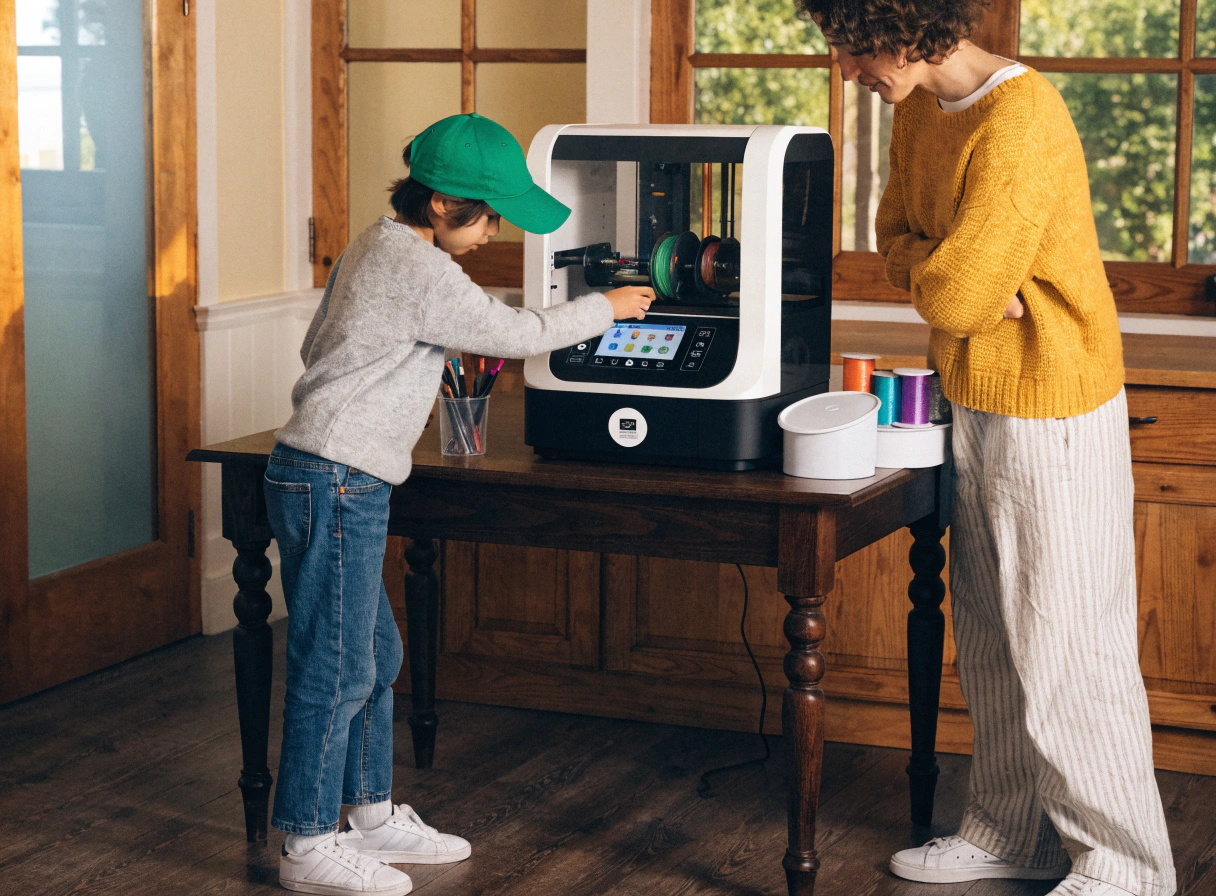
How Much Adult Help Does a Child Need to Start 3D Printing?

Before we bought our 3D printer, I asked around in a few parent groups. The most common answer was something like: 'It's not that hard once you figure it out.' That phrase, said with genuine good intentions, was not particularly helpful. What I needed to know was who was doing the figuring out — me, or my 8-year-old.
The honest answer is: it depends almost entirely on the printer. A well-designed family 3D printer shifts most of the work to the child. A hobbyist machine designed for adults shifts it back to the parent, often permanently. Understanding this upfront saves a lot of frustration.
This guide breaks down what adult involvement actually looks like at different ages and stages, what the printer's design determines versus what the child's age determines, and how to build toward a point where your child runs the whole thing themselves.
The Printer Decides More Than You'd Expect

Most parents assume the child's age is the main factor in how much help is needed. It's actually the second factor. The first is whether the printer was designed for a child to use or for an adult who wants to involve their child.
A printer designed for families does several things automatically: it levels the build plate before every print, it handles the 'slicing' (the technical conversion from digital model to print instructions) in the background, and it connects to a child-facing app where the whole experience starts from browsing a library rather than configuring software. When these things are handled automatically, a child aged 7 or 8 can run the full printing process from browsing to print-complete with no adult in the loop.
A printer designed for adult hobbyists — even one marketed with phrases like 'easy to use' or 'beginner-friendly' — typically requires manual bed leveling, desktop slicing software, and a workflow that involves preparing files on a computer before the print can start. Every one of those steps is an adult job until the child is old enough and technically confident enough to own it.
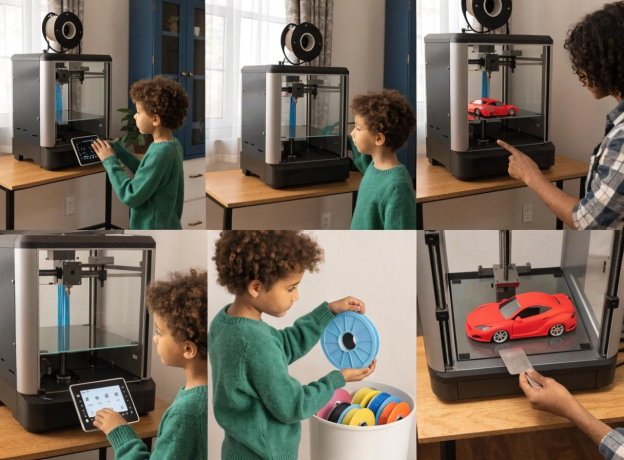
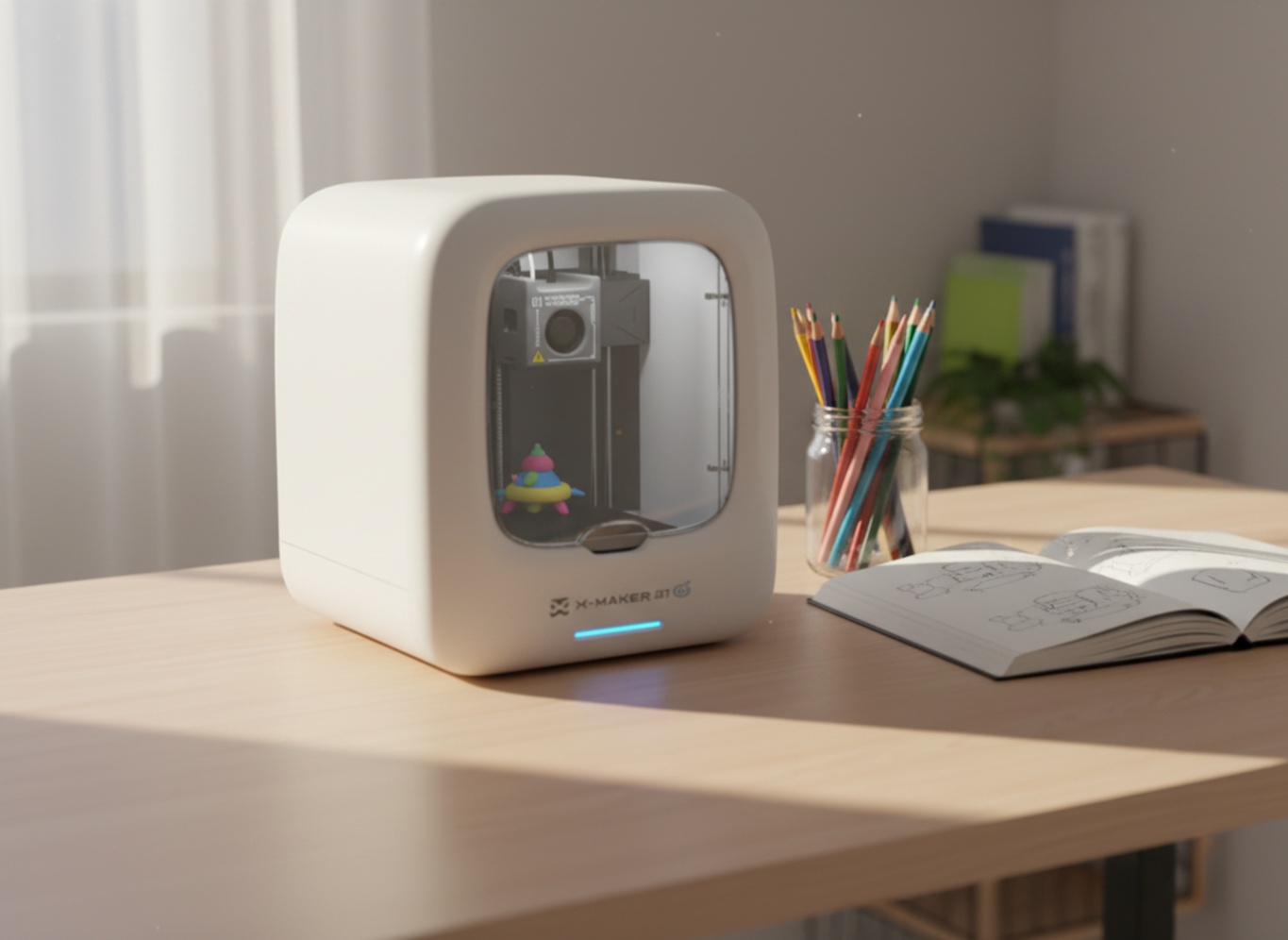
The AOSEED X-MAKER JOY, for example, was designed with explicit child-independence as the goal. The app handles slicing automatically. The build plate is factory-level. A child selects a model, customizes it if they want, and taps print — and the AOSEED X-MAKER JOY does the rest. A machine designed this way requires a different level of parental involvement than one that wasn't.
💡 THE QUESTION TO ASK BEFORE YOU BUY |
|
Can my child go from 'I want to print something' to a print run — without my involvement — after two or three guided sessions? If the answer is yes, it's a family printer. If it requires a parent to open slicing software, prepare a file, and transfer it to the machine every time, it's an adult printer that accommodates children. Both exist in the market. Neither label tells you which is which. |
What Adult Help Actually Looks Like at Different Ages

Ages 5 to 7 — Present but Not Doing
A 5-year-old using a well-designed family printer is directing, not operating. They browse models in an app, pick something they like, maybe change a color or add their name, and tap print. An adult needs to be nearby and should load the filament before the session begins. At this age, removing the finished print from the build plate is usually still a parent's job unless the printer has a flexible magnetic plate that bends the print off without force.
What a parent does at this age: initial setup, filament loading, print removal, and general presence. Print sessions are short enough that proximity is natural. What the child does: everything visible. They find the model, they tap go, they watch it happen.
Ages 8 to 10 — Learning the Full Loop
This is where most children can begin taking ownership of the whole process with a suitable printer. They can confidently navigate an app, understand what 'print time remaining' means, and learn to remove prints from a flexible build plate themselves. Loading filament usually takes a guided session or two and then becomes independent.
The remaining parent moments are mainly: helping with troubleshooting when something doesn't work right (usually a first-layer adhesion issue), and being available for the first few filament changes until the child is confident.
Most parents who say their 9-year-old 'uses the printer totally alone' mean exactly this — the child runs the whole printing workflow, the parent helped with initial setup a few months ago, and now steps in occasionally when something unexpected happens.
Ages 10 to 12 — Creative Ownership
By this stage, a child using a family printer for a year or more is typically running every aspect of the printing process, including filament loading, model selection or design, print settings if applicable, and maintenance like cleaning the build plate.
The adult role shifts here from helper to creative collaborator. A parent might sit with a child to help them figure out why a gear mechanism didn't quite fit together correctly. Or help them find a reference for a school project they want to model. The technical help largely disappears; the creative conversation stays.
Children in this age bracket often start to want more design freedom — moving from the pre-made library to designing their own models. The AOSEED X-MAKER supports this transition with a 3.5-inch touchscreen for direct machine control and a precision of 0.05mm for multi-part builds that need to fit together accurately.
Ages 12 and Up — Full Independence
Teenagers using a family printer typically need no adult involvement in routine printing sessions. The occasions when an adult gets involved are genuinely exceptional — a new filament they haven't used before, a print that keeps failing for an unexplained reason, or a new feature they're exploring.
At this stage, the question parents often ask is whether to upgrade to a more capable machine. An enclosed, app-led printer remains perfectly valid for a 14-year-old who wants to keep designing and printing creatively. A teenager who specifically wants to learn the technical side of 3D printing — slicing software, speed and temperature optimization, multi-material printing — may be ready for a more technically open machine.
The Three Stages of 3D Printing Independence

Regardless of age, most children move through the same three stages when they start 3D printing. Understanding where your child is helps you calibrate how involved you need to be.
Stage 1 — Director (Child Chooses, Adult Operates)
This is where most children start, typically in the first one to three sessions. The child decides what to print and what color they want it in. The adult handles all the technical steps. This stage can last a few weeks with a complex printer, or just one or two sessions with an app-led family printer.
The goal isn't to rush past this stage — it's valuable for the child to understand what's happening before they take ownership of the process. Show them each step as you do it. Narrate what you're doing. 'Now I'm loading the filament,' and 'now the printer is leveling the build plate automatically.'
Stage 2 — Operator (Child Runs the App, Adult Stays Nearby)
The child handles the full printing workflow — selecting the model, customizing it, and sending it to print. The adult is in the room or nearby but not actively involved unless something goes wrong. This usually develops within the first month in younger children and more quickly in older ones.
Most failed prints happen during this stage, and that's actually the most educational part. A print that doesn't stick to the build plate, or a model that comes out slightly squashed, gives the child a problem to investigate. Encourage them to describe what happened before jumping in to fix it.
Stage 3 — Maker (Child Runs Everything, Parent Is Occasional Consultant)
The child loads filament, runs print sessions, removes finished objects, and starts designing their own models rather than only choosing from a library. The adult is a resource but not a participant. Most children reach this stage within three to six months of consistent use with a suitable printer.
The speed of transition depends on two things: the child's enthusiasm (more printing = faster independence) and the printer's design (a machine that handles the technical steps automatically removes the main barriers to progress).
Why the Content Library Affects How Much Help You Give

There's a supervision pattern that most 3D printing guides don't mention. A child who always has something interesting to print runs the printer independently and confidently. A child who has exhausted their library and doesn't know what to print next comes to the parent with 'Can you find me something?'
That's a soft form of adult involvement — not safety-related, not technical, but still a dependency. A printer with a content library that updates regularly removes it. The child browses, finds something new this week, and starts a print.
The AOSEED Toy Library adds new models weekly — seasonal builds, themed collections, new animals and vehicles, and creation kit projects. This is specifically what allows a family printer to remain actively used over months and years rather than cycling through novelty and then neglect.
When children eventually move from using pre-made models to designing their own, that independence deepens further. AI design tools like AI MiniMe (generates a 3D toy from a photo) and AI Doodle (builds a model from typed words) let children start creating personal objects without adult involvement in the design process.
How Safety Design Affects Supervision

A 3D printer nozzle reaches over 200°C during a print. On an open-frame machine — common among budget hobbyist options — the nozzle and build plate are fully accessible while the printer runs. A parent physically cannot leave an 8-year-old alone with this kind of machine operating.
An enclosed printer with a door-open sensor changes this completely. Hot components stay inside a sealed chamber. If the door is opened mid-print, the machine automatically pauses and moves the nozzle away from the build area. The child watches through the viewing window. Their hands stay outside.
The practical effect on adult involvement is significant. With an enclosed, sensor-equipped printer, a parent can be in another room during a two-hour print session, and that's fine. With an open-frame printer, being in another room creates a genuine burn risk.
This is worth stating plainly: for children aged 4 to 12 in a shared family home, the enclosure question is a supervision question, not just a safety feature on a checklist.
⚠ THE SUPERVISION SHORTCUT MOST PARENTS TAKE |
|
Many parents buy a hobbyist printer, find the setup complex, and become the de facto operator while letting their child 'help'. The child watches, sometimes presses a button, and is occasionally involved in model selection. This can work, but it's not child-led 3D printing — it's adult-operated 3D printing with a child nearby. If the goal is creative independence for the child, the printer design needs to match that goal from the start. |
First Session: What to Do Together

The first time a child uses a 3D printer, the adult's role is to show, not do. Walk through each step narrating what happens and why, then hand it over.
1. Unbox and set up together — let the child help physically, even if it's just holding parts
2. Connect to WiFi together — let the child type the password if they can
3. Open the app and browse the library together — let the child choose the first model
4. Load the filament while explaining what filament is and where it goes
5. Start the print together — child taps the final button
6. Watch the first few layers appear — explain what's happening at each stage
7. Leave the room briefly while the print runs — come back before it finishes
8. Show them how to remove the finished print from the build plate
By the second session, the child should be doing steps 3 through 8 alone. By the fifth or sixth session, they should be doing all of them, including filament loading with minimal guidance.
The Right Printer Reduces Help Automatically

The honest summary of this guide is that most adult help questions answer themselves when the printer is designed correctly for family use. An app-led printer that handles calibration automatically, has a content library that updates, keeps hot components inside a closed chamber, and lets a child go from browsing to printing in three taps — that printer teaches independence by design.
A printer that requires adult involvement at every stage doesn't foster a child's independence; it creates a dependency on the parent that can last the entire life of the machine.
If you're still deciding which direction to go, see all AOSEED 3D printers show both the X-MAKER JOY (for younger children from age 4) and the X-MAKER (for older children from age 9) with current pricing so you can compare based on your child's age and what level of creative depth you're looking for.
FAQs
How much adult help does a child need to start 3D printing?
For the first session, a parent should walk through the setup, app connection, filament loading, and first print together. After two or three supervised sessions with a well-designed family printer, most children aged 8 and above can run the full printing process independently.
The main factor is the printer's design — one built for child-independence requires far less ongoing parental involvement than a hobbyist machine adapted for family use.
Can a 7-year-old use a 3D printer alone?
A 7-year-old can run the digital side of printing — selecting models, customizing, starting a print — independently with a family printer from about the second or third session. They should not be entirely unsupervised, primarily because a parent should be reachable if something unexpected happens.
But 'supervising' a 7-year-old's print session doesn't mean watching every minute — it means being in the house and checking in periodically. With a fully enclosed printer and a door-open sensor, the safety case for this is solid.
At what age can a child start 3D printing?
Children as young as 4 or 5 can participate meaningfully in 3D printing with the right printer — browsing a model library, choosing what to make, watching the time-lapse, and presenting the finished toy.
Independent operation (running the full process without adult involvement) is generally realistic from around age 8 to 9 with a well-designed family printer, or later with a machine that requires more technical involvement.
Do I need to be present the whole time during a print?
No — especially not with an enclosed printer. A 2-3-hour print session doesn't require a parent to sit next to the machine; what requires adult availability is the start of the session (loading filament if needed) and being reachable if something goes wrong mid-print.
The door-open sensor on enclosed printers provides the physical safety layer that makes brief absences from the room reasonable, even for younger children.
What is the hardest part of 3D printing for kids to learn?
Filament loading is often the last skill children fully master — it involves feeding a new spool into the extruder mechanism and monitoring it until the new color appears. It usually takes three or four guided attempts before a child is comfortable doing it alone.
Everything else — browsing, customizing, starting a print, removing the finished object from a flexible build plate — children pick up quickly, often in a single session.
How do I teach my child to use a 3D printer independently?
The most effective approach is 'show, don't tell'. Walk through each step while narrating what you're doing and why, then hand the process over immediately. Let the child make small errors and recover from them — a first print that doesn't stick perfectly is more educational than a perfect print the parent managed to make.
Resist the urge to take over when something doesn't work. Ask What do you think went wrong?' before intervening.
Is 3D printing safe for children at home?
With a fully enclosed family printer using PLA filament, yes. PLA is plant-based, non-toxic, and produces minimal odour at printing temperatures. An enclosed design keeps the 200°C+ nozzle behind a sealed chamber, with a door sensor that pauses printing if the door is opened.
The safety profile of a well-designed enclosed printer in a family home is comparable to other kitchen appliances — meaningful precautions exist, but routine use doesn't require constant vigilance.
What if my child gets frustrated with 3D printing?
The most common point of frustration is a failed first print — the model doesn't stick, comes out wrong, or partially detaches. This is almost always a build plate issue (adhesion) or a leveling issue on machines without factory-leveled plates. With a family printer that auto-levels, first-print failure rates are much lower, which matters enormously for a child's early experience.
If frustration does arise, treat it as a troubleshooting session rather than a failure — finding the reason is part of the learning.
How long until my child can design their own 3D models?
Most children start exploring simple design tools within the first month of printing, typically starting with personalization — adding their name to a model, changing sizes, mixing existing design elements. Moving to building original models from scratch usually takes three to six months of consistent use.
AI design tools that generate printable models from photos or typed prompts significantly lower this threshold — a child can start making genuinely personal objects in their first few sessions, before they develop full design skills.
What role does a parent play once a child becomes independent?
Creative collaborator is the most accurate description. You're no longer operating the printer or solving technical problems — you're asking 'what are you going to make next?' and occasionally sitting with them when they're trying to figure out why a design didn't work the way they expected.
The conversation shifts from 'let me show you how' to 'what did you think of how that turned out?' This is genuinely a more interesting parenting role.
SOURCES
1. Tom's Hardware — Best 3D Printers for Beginners 2026 (Jan 2026)
2. Flashforge Blog — 2025 Best 3D Printers for Kids (Sept 2025)
3. Style3D — Safe and Kid-Friendly 3D Printer Guide (Nov 2025)
4. Creality Store — Top 12 Kid-Friendly 3D Printers & Buying Tips (Dec 2024)
5. STL Denise — Best 3D Printers for Kids in 2025 (Oct 2025)
6. JLC3DP — Best 3D Printers for Kids (2026) (Jan 2026)
7. Puzzle Shift Create — 3D Printer for Kids — Advice and Starting Points (Dec 2022)
8. Tidewater 3D — Beginner's Guide to 3D Printing for Parents and Kids (Jan 2025)
10. Tinkercad (Official) — Tinkercad 3D Printing Curriculum for Teachers (Accessed Apr 2026)
11. All3DP — Toybox 3D Printer — Child-Focused Overview (Jan 2026)
12. Meshy.ai — Top Best 3D Printers for Kids and Beginners (Mar 2025)


You may also like
Further reading

3D Printer Unclog Nozzle Techniques: Troubleshooting Guide
Do 3D Printers Use a Lot of Electricity? Facts & Figures

How Much Does a 3D Printer Cost? (Total Ownership Cost)


